
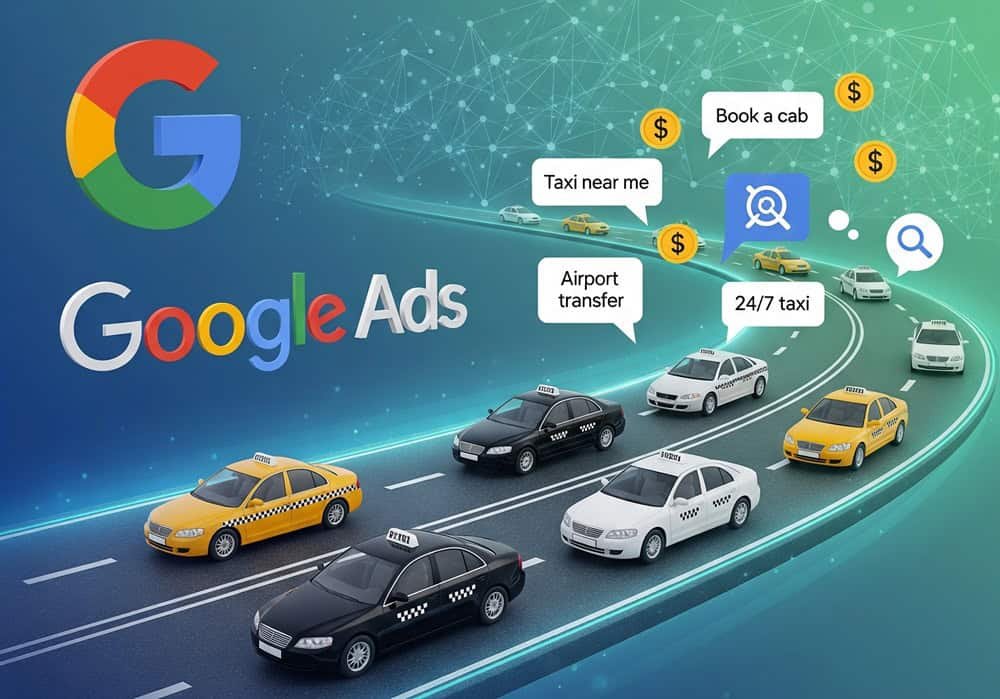
Looking for Google Ads for taxi service companies? Taxi services have to compete against giants like Uber, Lyft, and local ride-hailing apps. A search on “taxi near me” should show your business at the front and center. That’s where Google Ads come in.
The tech giant’s highly versatile tool enables you to place your service at the top of search results instantly. Google Ads offer a direct line to riders who are ready to book now, not later.
Google Ads Opportunity for Taxi Companies
Providing taxi service primarily revolves around immediacy and location. And Google Ads offers taxi companies a potent edge. It doesn’t matter whether you’re up against Uber, Lyft, or local aggregators.
The ability to appear at the exact moment someone searches “taxi near me” makes the difference. You can either book a service or scold yourself over a missed opportunity that could be a breakthrough.
Search Intent Advantage
Taxi-related searches often carry high commercial intent, meaning users are actively looking to book a ride. Keywords like “Taxi near me”, “Airport taxi service”, “24/7 cab Colombo”, or “Book cab online”.
These are not some casual queries; they indicate urgency. Campaigns targeting high-intent keywords can dramatically improve conversion rates. Taxi companies using Google Ads strategically have reported up to 40% more direct bookings.
Geo-Targeting Benefits
Geo-targeting allows taxi companies to focus ad spend only on areas they serve, avoiding wasted impressions and clicks. You can –
- Target by city, neighborhood, or even a radius around a location.
- Exclude areas outside your service zone.
- Layer in demographic filters to reach high-value riders (frequent travelers, business commuters).
Businesses using geo-targeting see higher ROI and lower cost-per-click by narrowing their audience. For example, a taxi service near an international airport can target a 5 km radius during peak flight hours.
24/7 Ad Reach
Unlike organic listings that fluctuate or get buried, Google Ads ensures your taxi service is visible around the clock. This is crucial for –
- Late-night travelers.
- Emergency rides.
- Airport pickups during odd hours.
- Weekend outings and event-based surges.
Ad scheduling can boost bids during high-demand windows (7 – 9 AM and 5 – 8 PM). Businesses using ad scheduling and call-only ads see up to 35% higher conversion rates during peak hours.
Beating Organic Competition
Organic SEO takes time, and in competitive urban markets, even an optimized site may not rank well. Google Ads bypasses that wait by placing your service at the top instantly. It’s especially vital when –
- Competing against ride-hailing apps with massive SEO budgets.
- Launching a new taxi service or expanding to a new area.
- Promoting seasonal offers or urgent services.
A taxi company in London used Google Ads to promote a “Flat 10% Off Airport Rides” campaign. Within 48 hours, they saw a 22% spike in app downloads and bookings, outperforming the organic traffic.
Right Google Ads Campaign Type for Taxi Services
Search Campaigns
Search campaigns place your ads directly in Google’s search results when users type high-intent queries like “taxi near me” or “airport cab Galle.” You bid on keywords, write compelling ad copy, and link to a booking page or call button. It seems ideal for –
- Capture urgent, ready-to-book customers.
- Enable call-only ads for instant phone bookings.
- Allow ad scheduling to match peak demand hours.
Local Services Ads (LSA)
LSAs appear above traditional search ads and only charge you when a customer contacts you directly. They include your business name, phone number, hours, and a Google Guaranteed badge if verified. It features some benefits –
- Pay only for valid leads (calls, messages, bookings).
- Build trust with the Google Guaranteed badge.
- No need to manage keywords or bidding.
Performance Max Campaigns
Performance Max campaigns use Google’s AI to serve ads across Search, Maps, Display, YouTube, Gmail, and Discovery. You provide assets (text, images, video), and Google handles the rest. You can –
- Reach riders across multiple platforms with one campaign.
- Automated bidding and targeting based on conversion goals.
- Great for expanding into new areas or testing creative assets.
However, limited control over placements and keyword targeting comes with no support for negative keywords. Attribution can remain unclear, making it hard to determine what drove a booking.
Display and Remarketing Campaigns
Display ads show across websites, apps, and YouTube. Remarketing targets users who’ve visited your site or used your app, reminding them to book again. Benefits for taxi services –
- Retarget past customers with loyalty offers.
- Keep your brand top-of-mind during travel planning.
- Promote seasonal campaigns or app downloads.
Keyword Strategy for Taxi Services
High-Intent Keywords
High-intent keywords are those used by people actively looking to book a ride. These are your conversion goldmines. Some examples –
- “Book taxi online”
- “Airport taxi service Delhi”
- “Taxi number near me”
- “24/7 taxi near me”
- “Cheap airport cab”.
Use call-only ads for keywords like “taxi number near me” to drive instant phone bookings.
Local Modifiers
Local modifiers help you narrow your reach to the exact neighborhoods, cities, or landmarks you serve. It can improve relevance and reduces wasted spend. Some examples –
- “[City] taxi service”
- “Cab service in [neighborhood]”
- “Taxi near [Airport]”
- “Taxi in [historic/cultural landmark]”
Google reports that 76% of people who search for something nearby visit a business within a day. That’s why local modifiers are essential.
Negative Keywords
Negative keywords prevent your ads from showing up in non-converting or irrelevant searches, saving you money and improving click-through rates.
Use Google’s Search Terms Report weekly to identify new negative keywords. Broad match negatives, such as “job” or “training,” can block multiple irrelevant queries.
Competitor Keywords
Bidding on competitor names like “Uber,” “Lyft,” or “Pathao” can help you capture switchers—users comparing options or looking for alternatives. Some examples –
- “Uber taxi Colombo” – Avg CPC: $1.72.
- “Lyft cab service” – Avg CPC: $1.62.
- “Bolt taxi number” – Avg CPC: $1.47.
- “Send vs taxi” – Informational but can be retargeted.
Use comparison ad copy: “Cheaper than Uber. No surge pricing.” Create landing pages that highlight your advantages (fixed rates, local drivers, faster pickup).
Budgeting and Bidding Strategy for Taxi Services
Taxi companies operate in a dynamic environment as the demand fluctuates by hour, day, and season. A strategic approach to budgeting and bidding in Google Ads feels mandatory from the start.
Daily Budget Recommendations
Your daily budget is the average amount you’re willing to spend per day. Google may spend up to 2x your daily budget on high-traffic days, but your monthly spend is capped at 30.4 × daily budget.
Start with $10–$30/day for small local campaigns. Use $50–$100/day for airport zones or high-demand areas. Base your budget on your target CPA (Cost Per Acquisition).
Manual CPC vs Maximize Conversions
Choosing the right bidding strategy determines how your budget is spent and how efficiently you acquire riders.
- Manual CPC (Cost-Per-Click): You set the max amount you’re willing to pay per click. It offers complete control but requires constant monitoring. Great for experienced advertisers or niche campaigns.
- Maximize Conversions (Smart Bidding): Google automatically adjusts bids to get the most conversions within your budget. It primarily depends on real-time signals, such as device, time, and user behavior.
Choose Manual CPC for –
- Very low budgets (<$20/day).
- Brand or competitor campaigns needing tight control.
- Early-stage campaigns without conversion data.
Seasonal and Time-Based Bid Adjustments
Taxi demand spikes during weekends, holidays, and late-night hours. Google Ads allows you to adjust bids based on time and seasonality. Increase bids during –
- 7 – 9 AM (commuter rush).
- 5 – 8 PM (evening travel).
- 10 PM – 2 AM (nightlife and emergencies).
Decrease bids during off-peak hours (2 – 5 AM weekdays). Use seasonality tools to inform Smart Bidding of expected conversion rate changes during tourist seasons, local festivals, or cultural/sports events.
Landing Page Optimization for Taxi Ads
What Every Taxi Landing Page Must Include?
A high-converting taxi landing page should be simple, focused, and action-oriented. Here are the essential components –
- Booking Form: Keep it short with name, pickup location, time, and contact number. Forms with fewer than five fields have a conversion rate of 20%.
- Click-to-Call Button: It’s significant for mobile users. Place it prominently above the fold and use action text like “Call Now for Pickup.”
- Service Area Map: Show your coverage zones visually and thoroughly. It reassures users that you serve their location and helps with local SEO.
Mobile Optimization for Speed and Simplicity
With over 70% of taxi-related searches happening on mobile devices, your landing page must be lightning-fast and frictionless. The best practices include –
- Fast Loading Speed: Aim for <3 Seconds. Compress images, use lazy loading, and minimize scripts.
- One-Click Booking: Use sticky buttons for “Call Now” or “Book Ride” that stay visible as users scroll.
- Responsive Design: Ensure the page adapts to all screen sizes as Google uses mobile-first indexing.
Build Confidence with Reduced Friction
Trust is obligatory since you’re offering service firsthand. It’s vital for users booking a ride with an unfamiliar company. Include these elements to boost credibility.
- Customer Reviews: Showcase real testimonials with names, photos, and star ratings.
- Safety Measures: Mention driver background checks, sanitization protocols, and emergency support.
- Licensing Info: Display your taxi license number or local transport authority badge.
- Secure Booking Assurance: Add SSL badges and privacy statements near the booking form.
Common Mistakes Taxi Companies Make in Google Ads
Mistake #1: Targeting Too Broad Locations
Casting a wide geographic net, such as targeting an entire city or region, can lead to wasted spend. For example, a taxi company serving only central Colombo shouldn’t target all of Colombo.
Use radius targeting around key service zones. Exclude non-service areas using Google Ads’ location exclusion feature to prevent irrelevant clicks.
Mistake #2: Not Using Negative Keywords
Without negative keywords, your ads may appear for irrelevant searches like “taxi driver jobs,” “free taxi ride,” or “taxi training courses.”
Build a negative keyword list with terms like “job,” “free,” “training,” “license,” “complaint”, etc. Use Google’s Search Terms Report weekly to identify and exclude irrelevant queries.
Mistake #3: Sending Traffic to the Homepage
Your homepage may look great, but it’s often cluttered with navigation links, blog posts, and general info, not optimized for conversions. Send traffic to a dedicated landing page with –
- Simple booking form.
- Click-to-call button.
- Service area map.
- Fare calculator (optional).
Mistake #4: Ignoring Ad Scheduling
Running ads 24/7 may seem efficient, but it often leads to wasted spend during low-demand hours (2 – 5 AM weekdays). Use ad scheduling to show ads during –
- Morning commute (7 – 9 AM).
- Evening rush (5 – 8 PM).
- Late-night emergencies (10 PM – 2 AM weekends).
Instant visibility, precision targeting, and reaching riders at the exact moment – they’re all possible with Google Ads. Arguably, it’s the most potent tool taxi services can use to compete more relevantly. Tight geo-targeting to find the right people, craft high-converting ad copy to drive action, and optimize landing pages to turn clicks into bookings.
Contact Ruban KT a Google ads specialist for Google ads for taxi service companies.
Frequently Asked Questions (FAQs)
Google Ads gives instant visibility when users search for services like “taxi near me” or “airport cab.” It helps you reach high-intent customers, compete with ride-hailing apps, and drive direct bookings.
Focus on high-intent keywords such as “Book taxi online”, “Airport taxi service [city]”, and “24/7 cab near me”. Use local modifiers to improve relevance and reduce wasted spend.
Start with a daily budget of $10 – $30 for small campaigns. Scale up to $50 – $100/day for high-demand zones. Monitor your cost-per-lead (CPL) and return on investment (ROI) to adjust the budget.
Yes. Call-only ads are ideal for taxi services as they allow users to book instantly via phone. They perform exceptionally well during peak hours and for mobile users, often delivering 35% higher conversion rates.
Use Google Ads conversion tracking for phone calls, form submissions, and online bookings. Integrate with Google Analytics to monitor CPL, ROI, and user behavior across your site.
Absolutely. Use promotion extensions to highlight holiday discounts, student offers, corporate packages, and other special offers. Promotions increase urgency and can boost repeat bookings by 28% or more.
Dynamic Search Ads automatically match your web content to relevant queries. They’re suitable for airport transfers and long-tail keywords. They can increase impressions by 15% – 20% and lower CPC.

I am an digital marketing specialist who is expert in SEO & Google ads.